Upgrade Your Laptop Setup with the RayCue 128K Dock
Every remote worker wants more hands and space while working. More screens, more ports, and even a tiny fun display on your desk can make a huge difference. When you have a lot to monitor, a single screen is just not enough. That’s where relying on docking stations is the perfect solution for expanding your workspace.
So, for remote workers or anyone looking to connect more devices to their laptop, the RayCue 128K Dock is a reliable option.
What Is the RayCue 128K Dock?
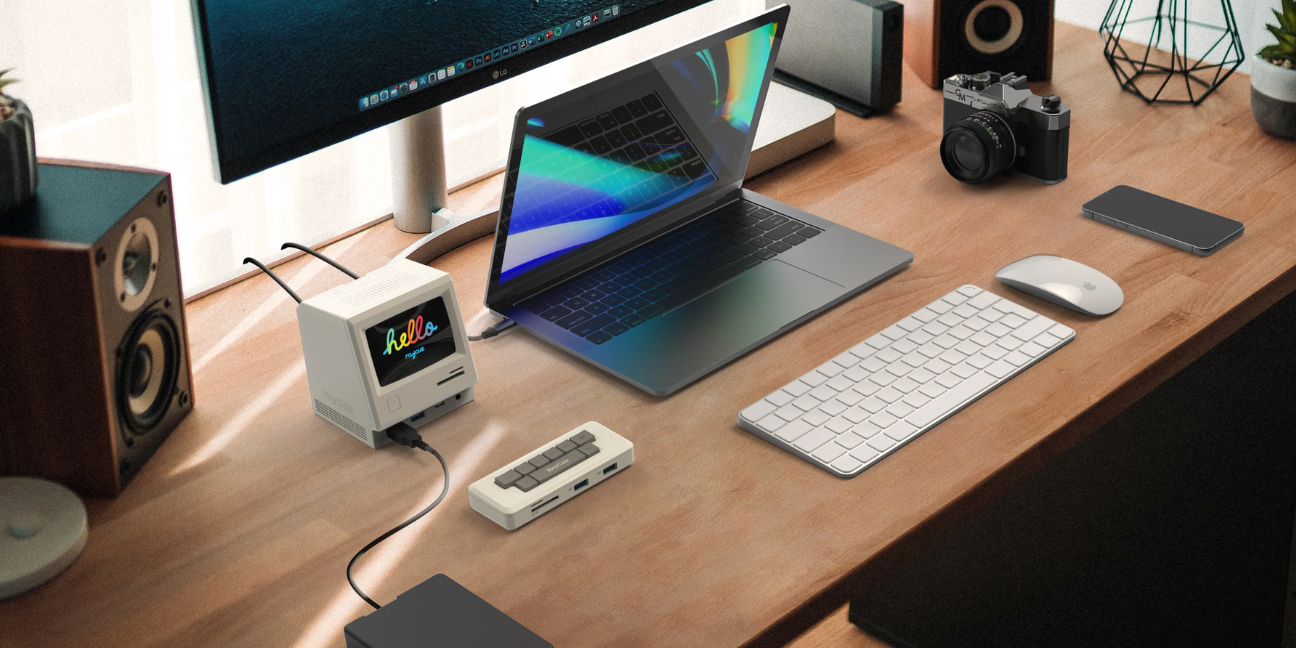
The RayCue 128K Dock might (and it actually is) look like a tiny retro computer sitting on your desk, but it has that classic old-school charm that makes your workspace feel a little nostalgic. It’s a docking station that becomes a helper for your laptop setup, making things easier.
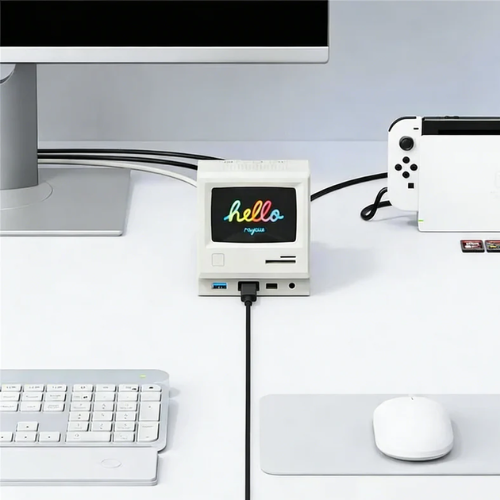
Here’s why it’s so handy:
- Retro-Style Look: It looks like a mini vintage computer, which is just fun to have on your desk.
- Tiny Built-In Display: There’s a small color screen that can show the time, date, countdowns, photos, or even music info. It’s like having a mini digital assistant right on your desk.
- Lots of Ports: Most laptops don’t have enough ports for everything, extra screens, keyboards, mice, memory cards, wired internet, and more.
What Can It Actually Do?
Here is what this system can do:
Extra Ports
The RayCue 128K gives your laptop a bunch of extra connection ports so you can plug in things you use every day, like keyboards, mice, memory cards, headphones, wired internet (Ethernet), and more.
Connect Extra Screens
Many laptops only have one or two screen ports, but if you want multiple monitors for work, like spreadsheets on one screen and video calls on another, the RayCue 128K can help. It supports extra displays (especially on the Pro version)
Built‑In Display
One of the coolest things about this dock is its small built‑in color screen (about 3.5 inches). You can use it to:
- See the time or date
- Show photos or custom images
- Display music info or interface graphics
Bonus Smart Features
Here are some extra helpful things it can do:
- Supports multiple displays using modern DisplayLink/MST technology, especially helpful for multitasking.
- Customizable screen content so you can change what the little screen shows using an app.
- Large number of ports: around 14 to 21, depending on the model, so you can plug in many devices at once.
How Can You Set the Retro Dock Up?
Here is a step-by-step guide to set it up:
- Plug the dock into your laptop using USB-C.
- Connect your keyboard, mouse, monitor, or other devices.
- Use the small display: Set up a clock, timer, or upload your favorite photos via the RayCue app.
- Start using extra screens, play music, or just enjoy your upgraded workspace.
Click this link to watch a short unboxing video that shows the RayCue 128K and makes it easier to understand how to set it up.
Many people today have multi-screen setups and docking stations. But a docking station with a cool, stylish design isn’t something you see every day. So, if you’re looking to upgrade your old dock, why not choose the RayCue 128k Retro Dock that looks great, works even better and comes with extra features like a fun built-in display?
If you’re planning to buy, click the link. We’re offering a discount through our affiliate partnership. You get a lower price, and we may earn a small commission at no extra cost to you.
Stay tuned to TheSmartUse for more information on the latest docking systems!
Comment:
Your email address will not be published. Required fields are marked *